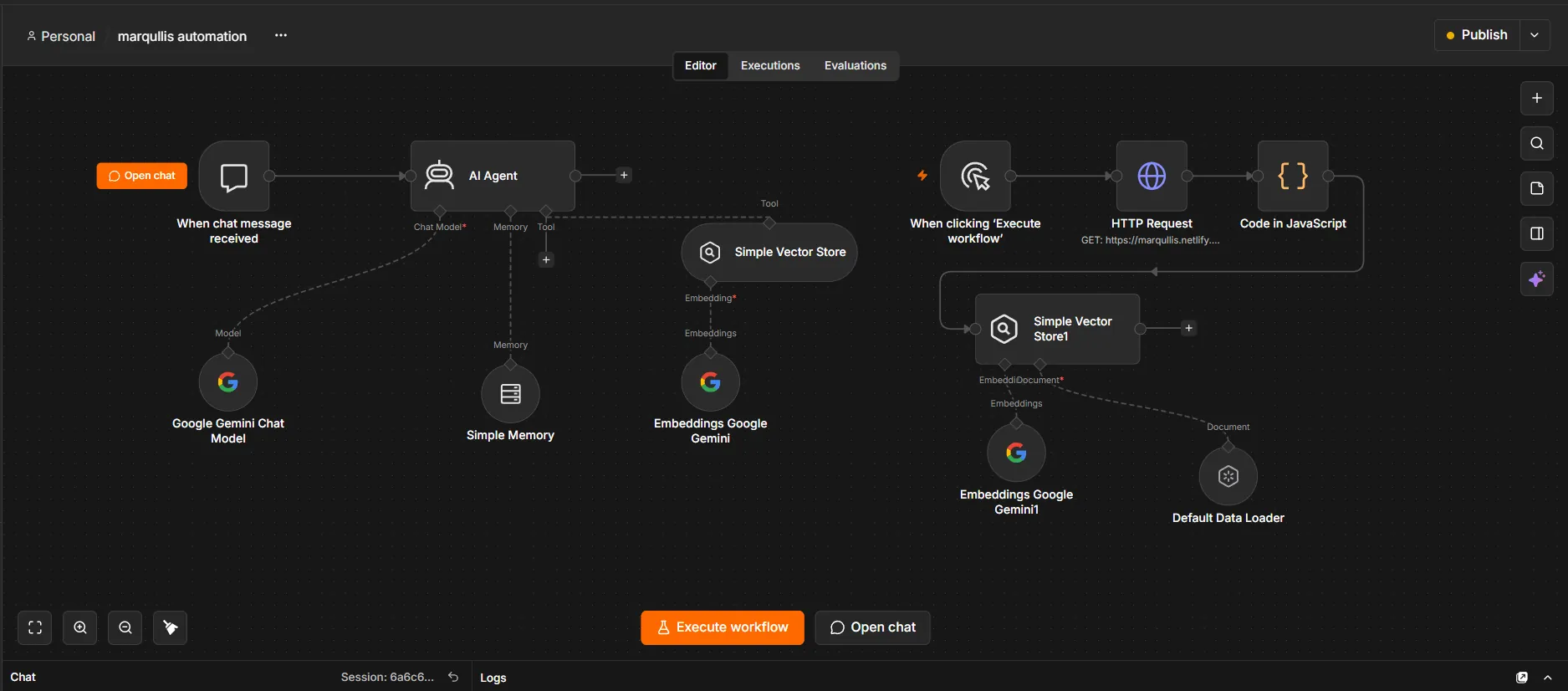
Demo
Website-trained AI chatbot
Reads the full content of a website, stores it as searchable knowledge and answers questions only from that content. The knowledge base refreshes when the workflow is run again.
Most enquiries are not lost because of the price. They are lost because nobody replied quickly, qualified them or followed up. Marqullis builds automation that replies, asks the right questions, records the details and tells a person when a lead is ready — with a real person in charge of the result.
Start with the step where enquiries are lost today; connect the rest as it proves useful.
Each new enquiry is checked against the questions that matter to you — service, location, timing, budget — and sorted so your team sees the real opportunities first.
An assistant that answers common questions on your website or WhatsApp, collects details and passes the conversation to the right person.
Prompt acknowledgements, reminders and follow-ups that go out consistently, so no enquiry depends on someone remembering.
Lead details recorded automatically in the system you use, so nothing is retyped or lost.
Qualified leads can be offered or booked into a calendar slot without back-and-forth messages.
Enquiries, quotes and statuses logged to a spreadsheet you can read, filter and share.
Repetitive internal steps — notifications, hand-offs, status updates — connected so they run themselves.
Assistants trained on your approved content, with clear limits and a hand-over to a person.
Your forms, calendar, spreadsheets and messaging connected into one process, with maintenance after launch.
It removes the slow, repetitive parts of handling enquiries: replying instantly, asking qualifying questions, recording details, booking calls and reminding people. A small team can then spend its time on the conversations that are most likely to become jobs. It does not replace the person making the final decision.
A reliable follow-up flow has the same few parts:
These are demonstration systems built by Marqullis to show how the approach works. They are not deployed client solutions.
Reads the full content of a website, stores it as searchable knowledge and answers questions only from that content. The knowledge base refreshes when the workflow is run again.
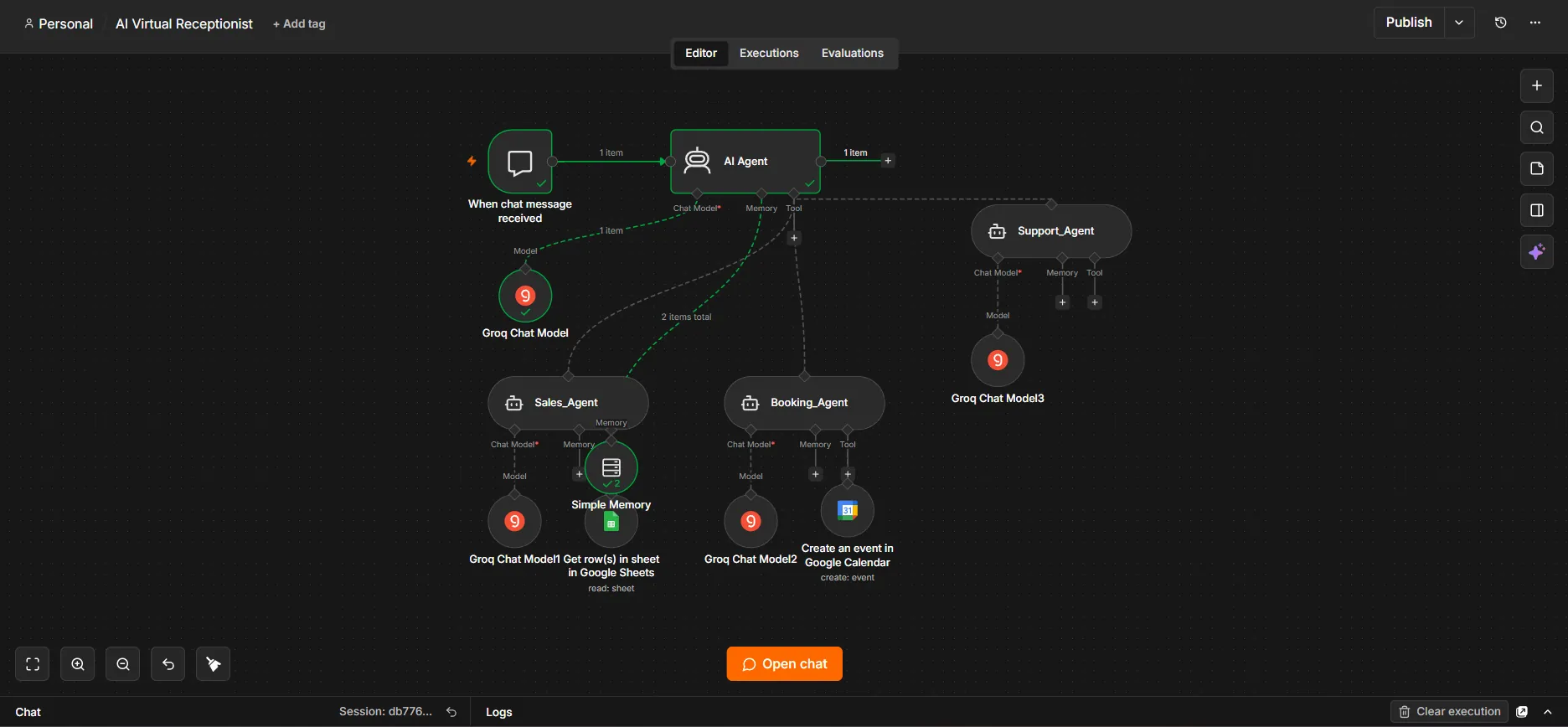
A main agent routes each conversation to a Sales, Booking or Support agent. Sales looks up information in Google Sheets; Booking creates events in Google Calendar.
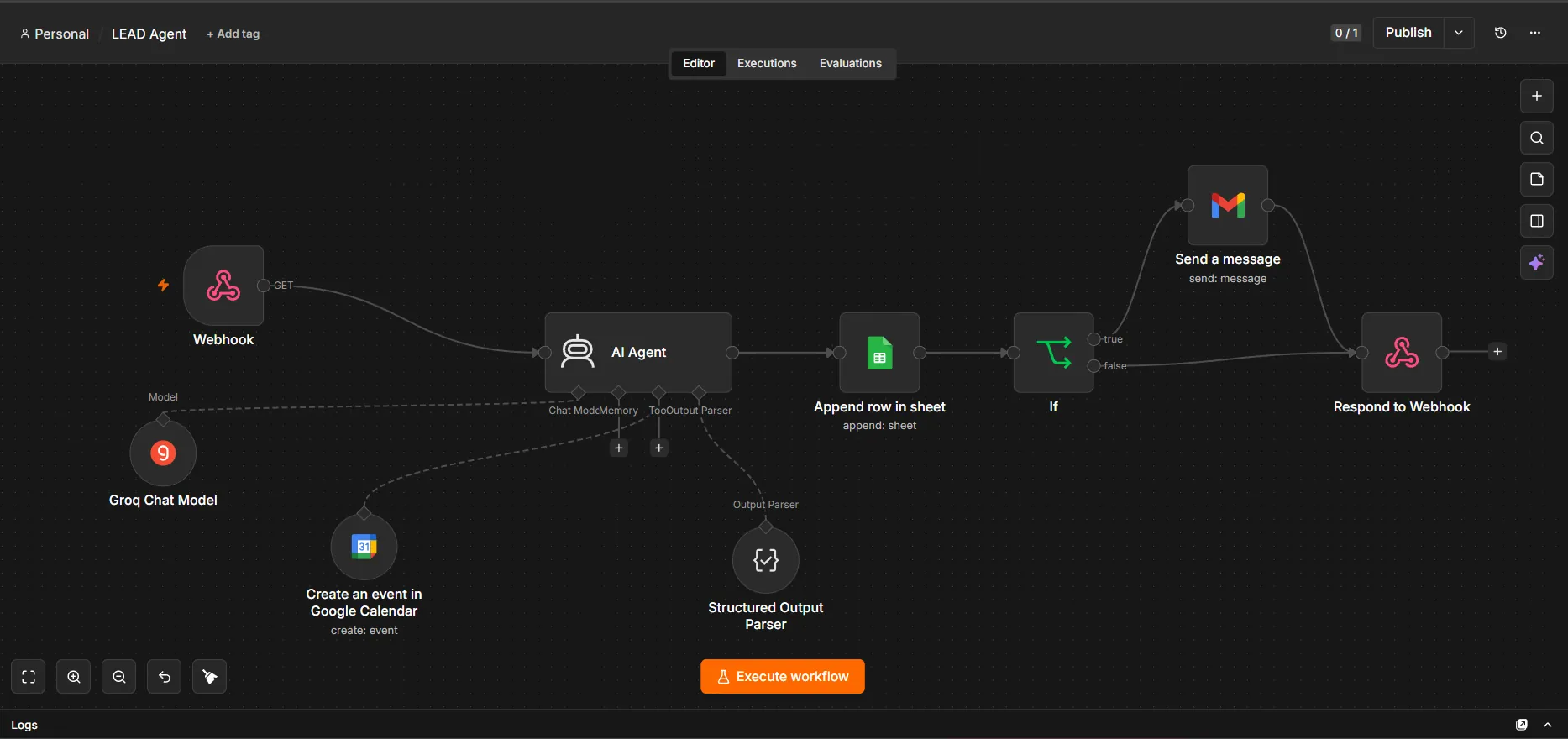
A webhook-triggered agent qualifies each lead with structured AI reasoning and logs it to a spreadsheet. Only leads that meet the criteria trigger a team email and a calendar booking.
You can also try the Marqullis assistant with the chat button on this page.
We follow one enquiry from first contact to booked job and mark where it waits, is retyped or is forgotten.
We agree the questions, the rules for a qualified lead, what the automation may say and when a person takes over.
We connect your forms, messaging, spreadsheet, calendar or CRM and test with realistic enquiries before launch.
We check results with you, fix what breaks and adjust the flow as your business changes.
No. Automation handles the repetitive volume — acknowledging enquiries, asking qualifying questions, logging details and sending reminders. A real person still reviews the quality and decides what happens with each qualified lead.
Typical integrations are your website forms, WhatsApp and email, Google Sheets, Google Calendar and your CRM. The exact set depends on what you already use; we avoid adding tools you do not need.
We design assistants to answer from information you have approved, such as your own website content, and to hand over to a person when they cannot answer. Instructions and sources are reviewed before launch.
Enquiry data is processed only to deliver the service you asked for. We agree with you which tools hold the data and who can access them before anything goes live. See our Privacy Policy.
Yes. Workflows depend on other tools that change, so maintenance and support are part of the service. Ongoing management is month-to-month with no lock-in.
Book a free strategy call. We will walk through how enquiries are handled today and show where automation would help first.
We use cookies for analytics and to improve your experience. See our Privacy Policy for details.